Check mark emoji & tick symbols — ✓ ✔ ✅ ☑ ✗
A check mark ✓ (U+2713 CHECK MARK) is a text tick that means yes or done; ✔ is the heavy version and ✅ is the green emoji. Text ticks take your text colour and work in documents and names, while ✅ is drawn by your phone. Copy any tick or cross ✗ with one tap.
Checked on real iOS, Android and Windows devices · last checked · by the SoShareIT Emojis editorial team
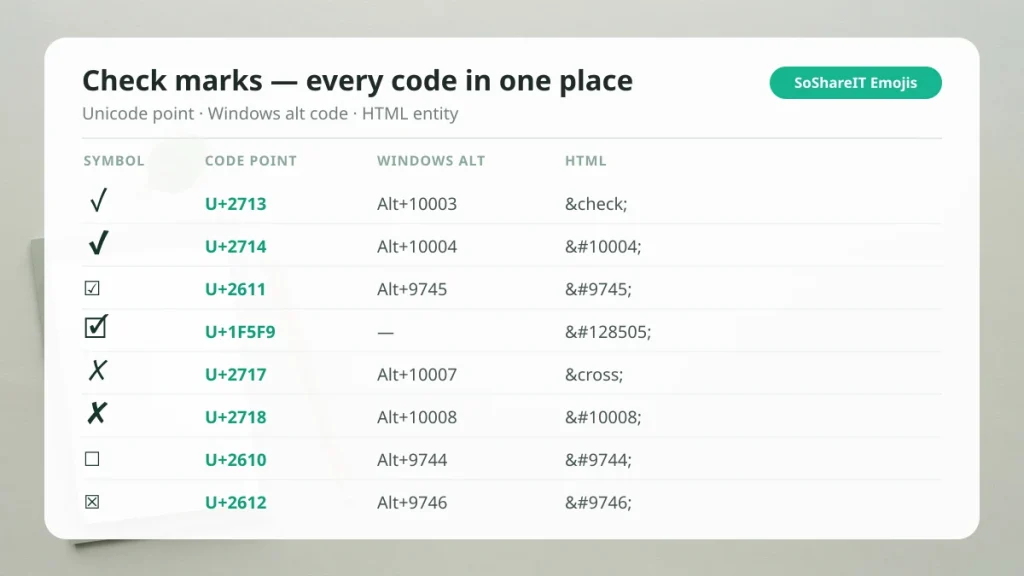
Check Mark Symbols — copy in one tap
420 kaomojiTry it with your own name
Type a name, copy any style — 24 frames, one tap eachPaste the result into a display name or bio. A TikTok or Instagram @username accepts only letters, numbers, dots and underscores — decorated characters are rejected there.
Where these are accepted
Tested per field — the honest version| App / field | Decoration | Limit | Last tested | What actually happens |
|---|---|---|---|---|
| TikTok username (@handle) | Rejected / stripped | 2–24 characters | August 2026 | Letters, numbers, underscore and dot only, and it cannot start or end with a dot. Decorated characters are rejected outright. |
| TikTok display name | Accepted | No decoration limit found | August 2026 | Accepts symbols, kaomoji and decorated combos. This is the field every "TikTok font" guide actually means. |
| Instagram bio & name | Accepted | Both fields accept decoration | August 2026 | Bio and display name both take decorated characters. The @username does not. |
| Game display names (Roblox, Free Fire) | Rejected / stripped | Emoji stripped; text marks usually pass | Not tested in-game | Colour emoji are stripped from most in-game name fields, while plain marks — ⋆ ★ 𐙚 ୨୧ ✧ — usually survive. Each game runs its own private filter and changes it without notice, so use the rename preview before you confirm. |
| Discord, Telegram, WhatsApp | Accepted | Long combining stacks may be trimmed | August 2026 | Display names and messages accept the full range. Very long combining stacks may be trimmed in narrow layouts. |
Platform filters are undocumented and change without notice, so we re-test rather than copy forward — see how we curate and verify.
A check mark is a single Unicode character, so it copies into a document, a spreadsheet cell, a TikTok display name or an Instagram bio and stays there. There is no image and no font to install.
There is more than one tick, and the differences matter. ✓ and ✔ are plain text that take the colour of the text around them; ✅ is an emoji and is always green. ☑ puts the tick inside a box, and ✓⃝ is a tick plus a separate combining ring. Every one of them is listed below with its code point, its Windows alt code and its HTML entity — read straight from the Unicode character database.
How to use check mark symbols
- Documents & spreadsheets: ✓ and ✔ take your text colour, so they print properly.
- Lists: ☐ ☑ ☒ give you an unticked, ticked and crossed box in plain text.
- Bios & display names: the text ticks usually pass a name filter; the emoji ✅ usually does not.
- Web pages: use the HTML column so the mark survives without a font file.
If a tick must stay the same colour everywhere, use the emoji ✅. If it must match the text around it, use ✓ or ✔.
Every check mark with its code, alt code and HTML entity
This is the whole set in one place: the symbol, what Unicode actually calls it, and the three ways to type it without copying. Tap any symbol to copy it.
| Symbol | Unicode name | Code point | Windows Alt | HTML | Text or emoji |
|---|---|---|---|---|---|
| Check mark | U+2713 | Alt+10003 | ✓ | Text only | |
| Heavy check mark | U+2714 | Alt+10004 | ✔ | Text or emoji | |
| White heavy check mark | U+2705 | Alt+9989 | ✅ | Emoji only | |
| Ballot box with check | U+2611 | Alt+9745 | ☑ | Text or emoji | |
| Light check mark | U+1F5F8 | — | 🗸 | Text only | |
| Ballot box with bold check | U+1F5F9 | — | 🗹 | Text only | |
| Not check mark | U+237B | Alt+9083 | ⍻ | Text only | |
| Ballot X | U+2717 | Alt+10007 | ✗ | Text only | |
| Heavy ballot X | U+2718 | Alt+10008 | ✘ | Text only | |
| Multiplication X | U+2715 | Alt+10005 | ✕ | Text only | |
| Heavy multiplication X | U+2716 | Alt+10006 | ✖ | Text or emoji | |
| Cross mark | U+274C | Alt+10060 | ❌ | Emoji only | |
| Negative squared cross mark | U+274E | Alt+10062 | ❎ | Emoji only | |
| Ballot box (empty) | U+2610 | Alt+9744 | ☐ | Text only | |
| Ballot box with X | U+2612 | Alt+9746 | ☒ | Text only |
“Text or emoji” means the character is text by default but has a colour emoji form when you add the invisible U+FE0F after it. “Emoji only” means it is always a colour picture.
How to read the last three columns. Windows Alt is the decimal code typed on the numeric keypad while Alt is held — it works in Word and WordPad, but many apps only accept the older Alt+0nnn range, so copy-paste is the reliable route. In Word or Outlook there is a better trick: type the code point without the U+ and press Alt+X — typing 2713 then Alt+X turns into ✓ — there is a step-by-step version of all of this in how to type a check mark. HTML is what you put in a web page; only ✓ and ✗ have friendly named entities, everything else uses the numeric form.
Green ✅ vs black ✔ — emoji or text?
Both are check marks and they behave completely differently, which is the single most common surprise on this page.
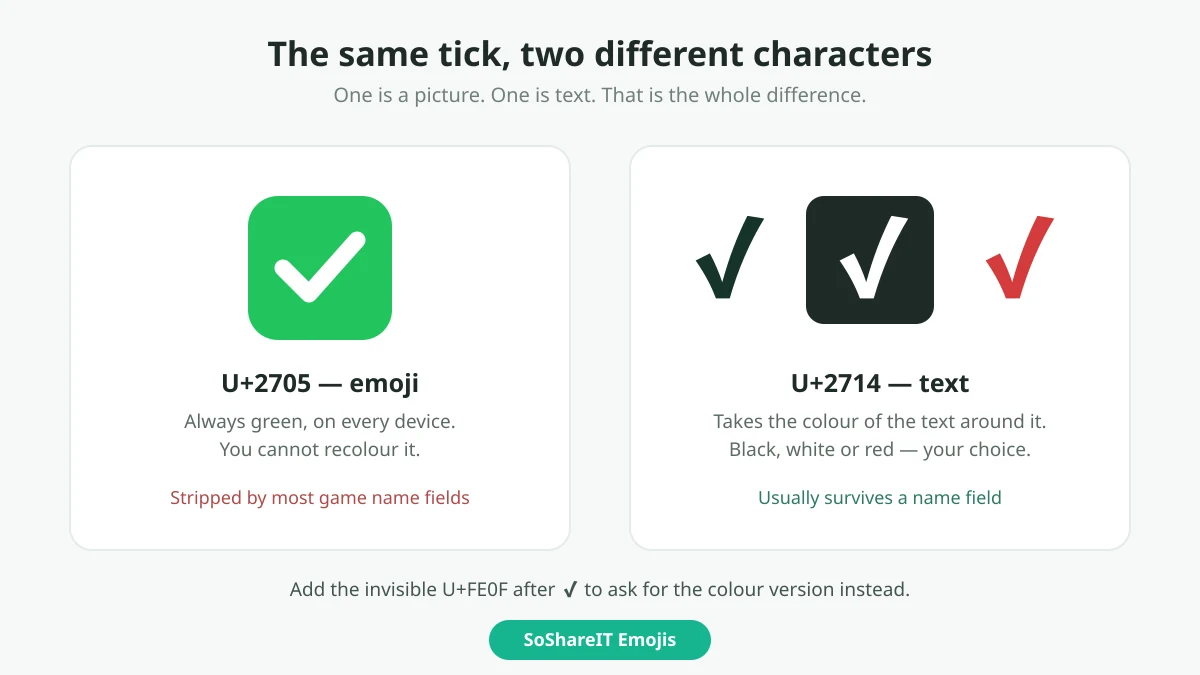
- ✕️ ✅ is an emoji. U+2705 is emoji by default, so every device draws it as a green picture. You cannot make it black, and fields that reject pictures reject it.
- ✔ is text. U+2714 is a normal character, so it takes the colour of the text around it — black in a document, white on a dark bio, red if the text is red.
The two also have a middle case. Adding the invisible U+FE0F after ✔ asks the device for the colour emoji version (✔️), and U+FE0E asks for the flat text version. That single invisible character is why the same copied tick looks green in one app and black in another.
Practical rule: if you need it to stay one colour everywhere, use the emoji ✅. If you need it to match your text, or to survive a name field that strips pictures, use ✓ or ✔.
The circled check ✓⃝ and where it is used
The circled check ✓⃝ is not a single character. It is ✓ followed by U+20DD COMBINING ENCLOSING CIRCLE — a combining mark that draws a ring around whatever comes before it. That is why it sometimes sits off-centre, and why it can vanish entirely on a device whose font does not support enclosing marks.
People reach for it as a home-made verified badge. It is worth knowing that it is not the badge any platform issues, and pasting it into a display name does not verify anything — see the verified tick page for what the real badge is and what these look-alikes can and cannot do.
The same trick works on other characters, so you will also see enclosed letters and digits built this way, and the same combining logic sits behind the star and sparkle dividers. Coverage is patchy, so test it in the place you intend to use it before you commit.
Check boxes ☐ ☑ ☒
Check boxes are three separate characters, not one box that changes state. They are ordinary text, so they paste into a document, a to-do list or a bio and stay put.
☐ is the empty box, ☑ the ticked box and ☒ the crossed box. For a heavier ticked box there is also 🗹 (U+1F5F9), though font coverage for it is thinner — if it shows as an empty rectangle on your screen, that is a missing font, not a broken copy.
Kaomoji to pair with a tick or a cross
A tick on its own reads as a plain status. A small face next to it carries the tone, which is why people pair them in a bio, a caption or a shared to-do list. These are text faces — kaomoji — so they copy and paste exactly like the marks above.
Pair with ✓ ✔ ✅ — done, approved, agreed
Pair with ✗ ✘ ❌ — not done, rejected
Kaomoji are built from ordinary letters and marks, so they survive the same fields the text ticks do. If part of a face shows as an empty rectangle, that device is missing a font for one of its characters — the copy itself is still intact.
Ticks next to other symbols
A tick and the infinity symbol make a common goal line, ✓ ∞, in bios and to-do lists. Typing steps for every platform are on the how-to page linked above, and all other sets are on SoShareIT Emojis.
Suggest a tick
Seen a tick that is missing here? Send it to the SoShareIT Emojis editorial team through the contact page. We check what each character is, and approved ticks are added to this page with the date they were added. There are no fake counters: copy numbers on this site are real taps.
Symbol meanings
Browse every kaomoji topic and copy in one tap.
Explore topicsMore collections
All articles →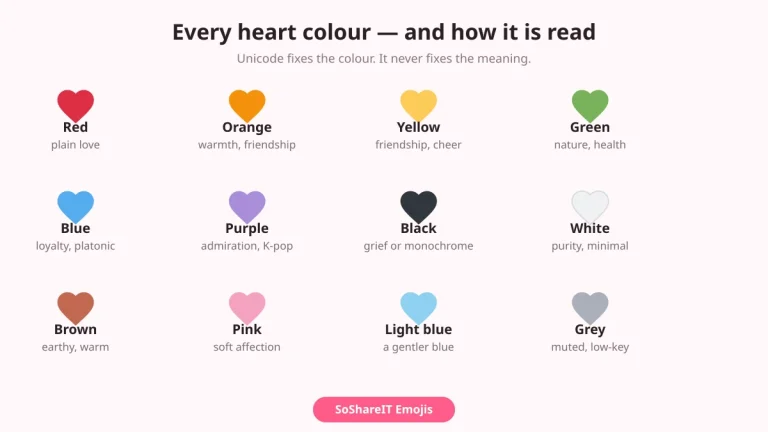 Symbol Collections
Heart Symbols
Symbol Collections
Heart Symbols
Every heart — ♡ ♥ ❤ ❥ and the full colour set — with code points and what each colour is taken to mean.…
 Symbol Collections
Symbols for Names — Frames & Marks to Decorate a Nickname
Symbol Collections
Symbols for Names — Frames & Marks to Decorate a Nickname
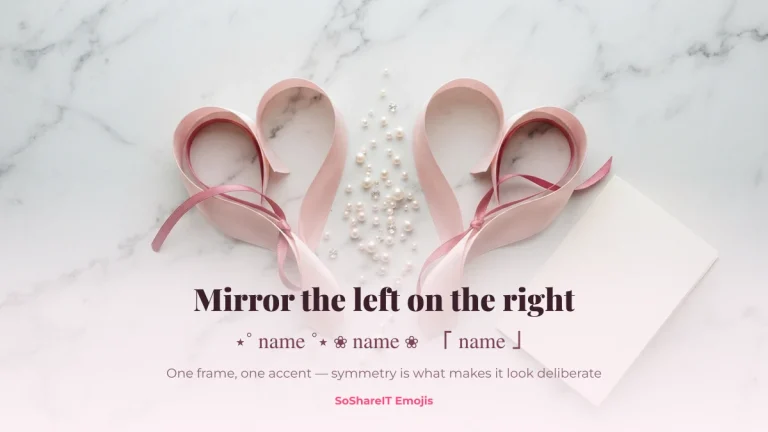
Brackets, stars, bows and dividers to wrap around a nickname — ꧁ ꧂ ⋆ ★ ♡ ୨୧ — copy in one tap.
 Symbol Collections
KKTC Flag Emoji
Symbol Collections
KKTC Flag Emoji
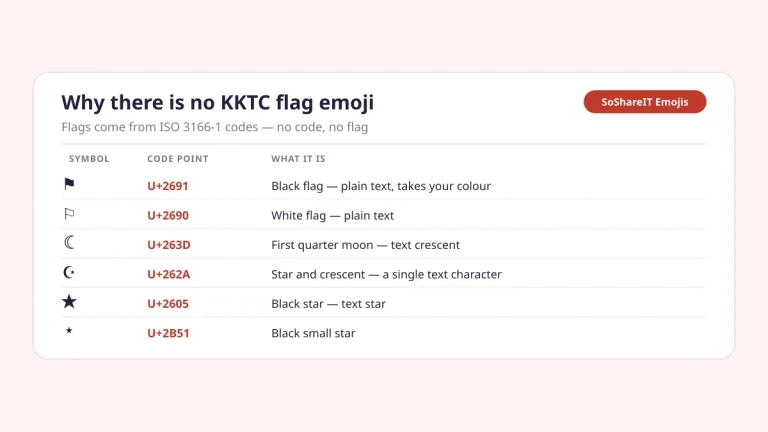
There is no KKTC flag emoji, because Unicode builds flags from ISO 3166-1 region codes. Here is why, how flag emoji work, and the…
 Symbol Collections
Kawaii Kaomoji
Symbol Collections
Kawaii Kaomoji
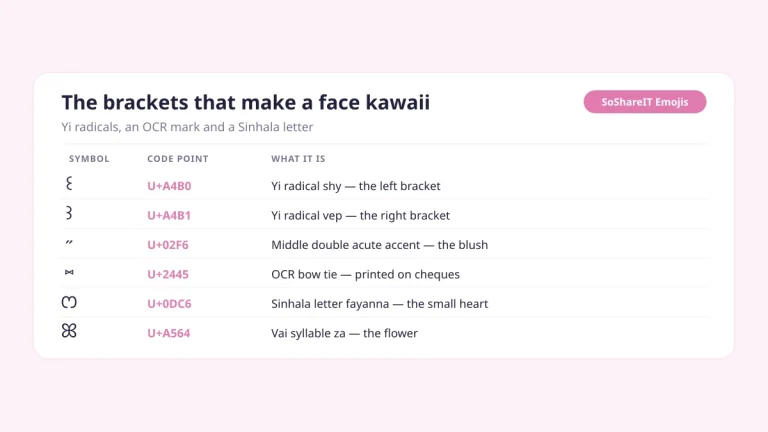
Cute, round kawaii faces (。◕‿◕。) built from eyes, mouths and arms — copy in one tap. The text ones pass a TikTok or Instagram…
 Symbol Collections
UwU Faces
Symbol Collections
UwU Faces
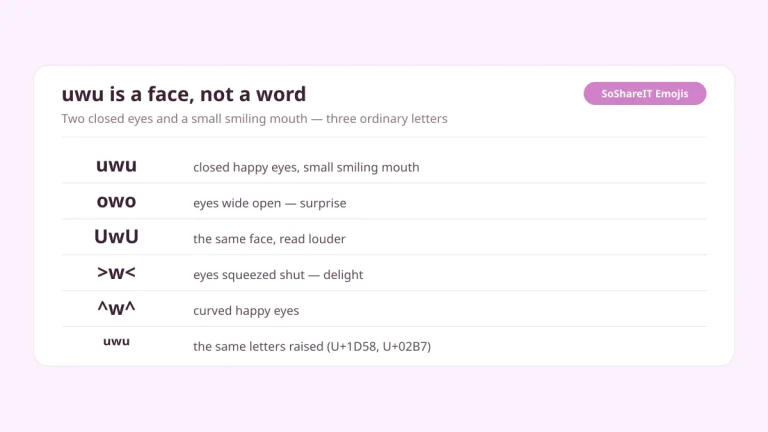
uwu, owo and UwU explained — what the letters actually represent, where the face came from, and soft kaomoji to copy. Plain ASCII, so…
 Symbol Collections
VIP Symbols
Symbol Collections
VIP Symbols
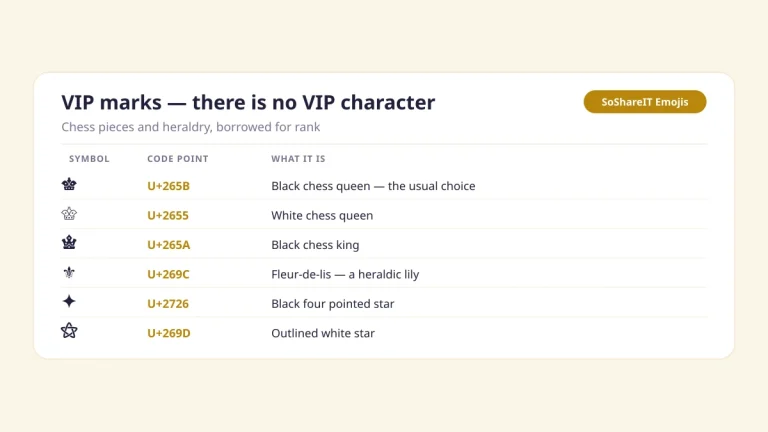
VIP symbols for a name — ♛ ♕ ⚜ ✦ with code points and alt codes, plus ready-made name frames. Text marks, so they…