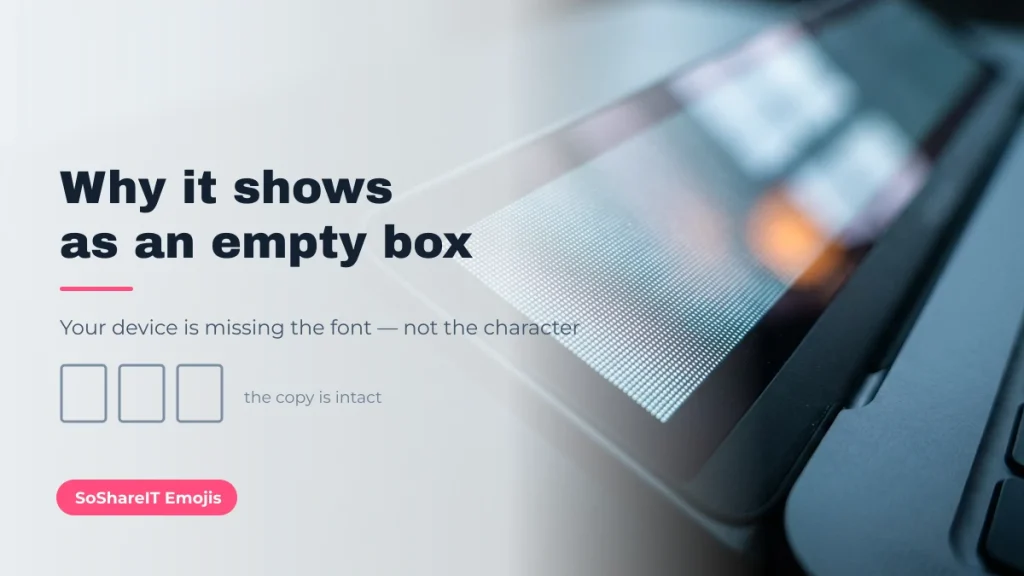
An empty rectangle means the device you are looking at has no font for that character. The character itself is intact, the copy worked, and the person you send it to will usually see it correctly. Here is why it happens, how to tell the three different failure shapes apart, and what to do about each.
If every glyph above renders for you, your device has broad font coverage. If some are rectangles, you have just reproduced the problem this page explains.
[lwptoc]
What the empty box actually is
Text on a screen is a two-stage process. Unicode assigns every character a number — ♡ is number 2661, written U+2661. A font then supplies a drawing for that number. Unicode standardises the number and the name; it never supplies the picture.
When your device is asked to display U+2661 and no installed font contains a drawing for it, the system has to show something. It shows a fallback rectangle — sometimes plain, sometimes containing the code point in tiny digits. That rectangle is the honest answer to “I have this character but no picture for it”.
Nothing is broken or corrupted. If you copy the rectangle and paste it into a device with a better font, the character appears normally. This is why a combo that looks like a row of boxes in a desktop code editor can look perfect on an iPhone.
Three failure shapes, three different causes
| What you see | Cause | Is the text damaged? | Fix |
|---|---|---|---|
| Empty rectangle ▯, or a rectangle with tiny hex digits | Missing font coverage on the displaying device | No — the character is intact | Nothing to fix in the text. Use a device with the font, or pick a more widely supported character |
| Question mark in a diamond � | The bytes were decoded with the wrong character encoding | Yes — information has been lost | Re-copy from the original source; the damaged copy cannot be recovered |
| Nonsense letters such as ’ or é | UTF-8 text read as a single-byte encoding | Usually recoverable | Set the page or file to UTF-8 and reload |
Only the first row is a font problem. The other two are encoding problems, and the difference matters: a rectangle is somebody else’s device missing a picture, while a � means the text really was mangled somewhere in transit.
Which characters go missing most often
Coverage is not random. Fonts ship the scripts their audience needs, so the characters that disappear are the ones borrowed from historic and minority writing systems precisely because they look unusual:
- Egyptian Hieroglyphs (𓍯 𓂃 𓏧 𓆸) — widely missing on Windows desktop, present on recent iOS and Android.
- Linear A (𐙚) — the coquette bow. One of the most-searched glyphs and one of the least supported on desktop.
- Old Turkic, Warang Citi, Batak (𐰁 𑣲 ᯓ) — minority and historic scripts with narrow coverage.
- Recent emoji — an emoji added in the last year or two will be a rectangle on a device that has not been updated, because emoji arrive with system updates.
- Stacked combining marks (᪲᪲᪲, ✓⃝) — the font may have the base character but not know how to position the mark, giving an offset or clipped result rather than a clean box.
By contrast, characters from Dingbats and Miscellaneous Symbols — ★ ☆ ✓ ✗ ♡ ❀ ✧ — are in essentially every font shipped in the last twenty years. That is why they are the safe picks.
If the boxes are on your own screen
You are the one missing the font, so the fix is on your side:
- Update the operating system. Emoji and script coverage arrive with system updates, not with the browser. This resolves the majority of cases on phones.
- Try a different app. Browsers, chat apps and code editors use different font stacks. A combo that is a row of boxes in a terminal often renders in the same machine’s browser.
- Install broad-coverage fonts. On desktop, the Noto family from Google covers nearly every script in Unicode, including the historic ones. Installing Noto Sans Symbols 2 and the relevant script fonts removes most rectangles permanently.
- Check on a phone before you conclude anything. Phone font coverage is generally wider than desktop. If it renders there, the character is fine.
If your readers see boxes and you do not
This is the case that actually costs you something — a bio that reads as design on your phone and as rubble on somebody else’s. You cannot install fonts on their devices, so the fix is to choose differently:
- Anchor with a widely supported character and use the exotic ones as accents. If ⋆ carries the design and 𐙚 is a bonus, a missing 𐙚 costs you very little.
- Do not rely on a single rare glyph to carry the whole look.
- Test across devices. Send it to yourself on another phone, and on a Windows machine if you have one.
- Watch the platform, not just the device. Some apps normalise or strip characters on the way in, which is a different problem from font coverage — the character never arrives at all.
Variation selectors: U+FE0F vs U+FE0E
Some characters can be drawn two ways, and a single invisible character decides which. U+FE0F (VARIATION SELECTOR-16) asks for the colour emoji form; U+FE0E (VARIATION SELECTOR-15) asks for the flat text form. Neither is visible and neither takes up space — they only steer the character before them.
This explains a class of “box” that is not a missing font at all. Take ❤ U+2764: written alone many systems draw it as plain text, ❤️ with U+FE0F after it forces the red emoji, and ❤︎ with U+FE0E forces the monochrome outline. If a device has the text form but not the emoji form, adding U+FE0F can produce a rectangle where the bare character rendered fine.
| Sequence | Code points | Asks for | Typical result |
|---|---|---|---|
| ❤ | U+2764 | Nothing in particular | Platform default — text on many desktops, emoji on many phones |
| ❤️ | U+2764 U+FE0F | Colour emoji form | Red heart artwork, or a rectangle where that artwork is missing |
| ❤︎ | U+2764 U+FE0E | Flat text form | Monochrome outline that follows your text colour |
Two practical rules. If you want a decoration that keeps your text colour, prefer the bare character or the U+FE0E form. And never strip variation selectors out of a combo you copied — they are load-bearing, and removing them changes how it renders for everyone else. We keep them byte-for-byte for exactly that reason.
Name filters and NFKC normalisation
There is a second way a character disappears, and it has nothing to do with fonts: the platform removed it before it was ever stored. Two mechanisms do this.
Name filters are per-platform allow-lists. A TikTok or Instagram @username accepts only letters, numbers, dots and underscores, so everything decorative is rejected at the point of saving. Most shooters strip colour emoji from in-game names while keeping letter-like marks. You can tell this apart from a font problem easily: with a filter the character is gone when you reload the page, whereas with a font problem the rectangle is still there and still copies correctly.
NFKC normalisation is subtler. It is a Unicode process that rewrites characters into a “compatibility” form, and platforms apply it to names to stop people impersonating each other with look-alikes. Under NFKC the mathematical alphabet collapses to plain ASCII — 𝐛𝐨𝐥𝐝 becomes bold, 𝗓 becomes z — and many stacked marks are reordered or dropped. That is why a fancy-font name can look right while you type it and appear as ordinary letters once saved.
- Survives normalisation: real letters and symbols from ordinary blocks — ★ ✓ ♡ ⋆ ᓚᘏᗢ ꧁ ꧂. They are not compatibility variants of anything, so there is nothing to collapse them into.
- Does not survive: mathematical alphanumeric letters (the “fancy fonts”), circled and parenthesised letters, and full-width Latin — all of which normalise back to plain ASCII.
So if a name reverts to plain text, the fix is not a different font: it is to decorate around the name with real symbols rather than to restyle the letters themselves. The frames on symbols for names are built from characters that survive.
Why “it looks broken” is not a reason to avoid a combo
We are strict about this on this site, because over-caution quietly ruins a decoration library. Combos that look broken in a desktop editor render correctly for the audience that actually uses them — on TikTok, Instagram and phone keyboards. If we removed everything that looked odd on a developer’s screen, we would delete most of what people come here to copy.
So we keep every combo byte-for-byte as sourced, including the combining marks and variation selectors that make them fragile, and we tell you where coverage is thin instead of pretending it is universal. That policy is written up under how we curate and verify.
A set that renders almost everywhere
These come from Dingbats, Miscellaneous Symbols and Mathematical Operators — the blocks with the widest font coverage. If you need a decoration that will not turn into a rectangle on somebody else’s phone, build it from these.
Common questions
Did the box eat my character?
No. Select the rectangle, copy it, and paste it somewhere with better font coverage — the character reappears. The bytes were never touched.
Why does it look right on Instagram but not in my browser?
Different font stacks. Instagram in an app renders with the phone’s system fonts, which cover far more scripts than the default fonts a desktop browser falls back to.
How do I avoid the problem entirely?
Build with characters from Dingbats, Miscellaneous Symbols and Mathematical Operators — ★ ☆ ✓ ✗ ♡ ⋆ ∞ ❀ ✧. They are effectively universal. You can browse them on SoShareIT Emojis, where the identity table lists each one’s block so you can judge coverage before you commit.
Is there a name for the rectangle?
Typographers call it a “missing glyph box” or a “notdef box” — short for “not defined”. Whatever it is called, it is a display placeholder and never part of the text you copied.